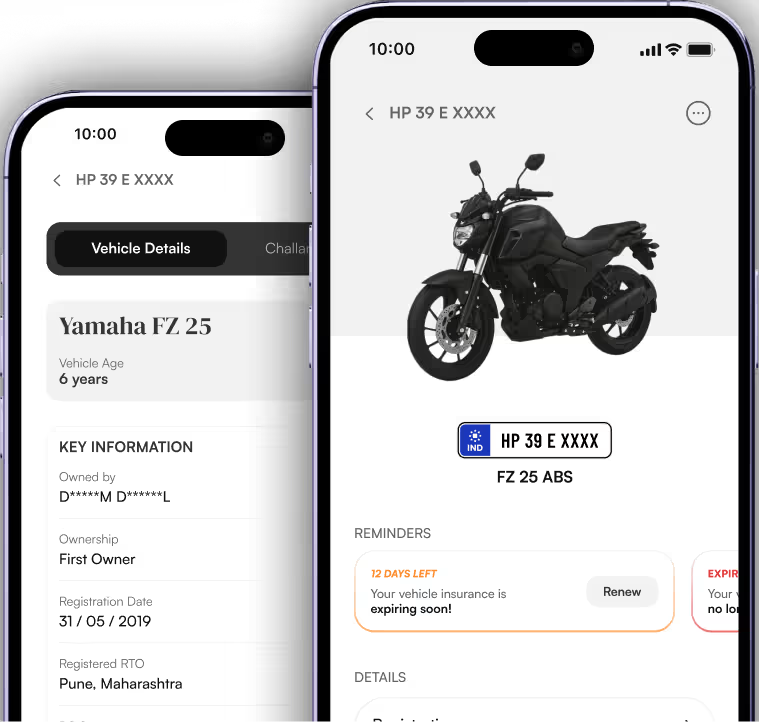
Check Vehicle RC Details Online
Get Vehicle and Owner information, RTO details and Insurance status of the searched vehicle.


What is Vehicle RC?
Your Registration Certificate (RC) is the government-issued proof that your two- or four-wheeler is road-legal. It carries every key detail, from owner name and address to chassis number and status.
RC Details
What Does RegistrationCertificate (RC) Contain?

Detailed Search
Vehicle RC Information
The RC includes the details of the vehicle such as its make, model, color, engine number, chassis number, and type of fuel. These details identify and classify the registered vehicle uniquely so that vehicle registration checks can be conducted correctly.
RC History
Vehicle Registration Number
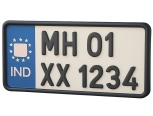
Your RC displays an alphanumeric registration number assigned by the RTO. It's your vehicle's public ID for law enforcement, tolls, parking, & every official checkpoint.

Vehicle Status
RC Validity & Expiry Date
RC validity spans from the initial registration date to the next renewal deadline. It often also flags pollution- or fitness-certificate expiry, keeping you ahead of mandatory inspections and avoiding penalties.

Vehicle Rules
Vehicle Type & Category
Whether it's a private car, commercial truck, two-wheeler, or specialised government vehicle, the RC specifies the exact category under the Motor Vehicles Act. That classification determines tax rates, permit requirements, and usage rules.

Owner Info
Registered Owner Details
Whether it's a private car, commercial truck, two-wheeler, or specialised government vehicle, the RC specifies the exact category under the Motor Vehicles Act. That classification determines tax rates, permit requirements, and usage rules.
How To Check Your RCDetails Online?

Check using
Parivahan Portal
The official government source for live RC records.
1
Visit the site
Go to https://vahan.parivahan.gov.in
2
Navigate to vehicle details
Under informational services, choose "Know your vehicle details".
3
Login or Register
Signup with your email & mobile number, or login if you've an account.
4
Submit & view
Click Vahan Search to get your RC information and status.

Check using
MyMotor
Access all your RC details and more with zero trouble
1
Open MyMotor
Head to the MyMotor homepage
2
Select RC Lookup
Click the RC icon or menu item to start
3
Enter your plate number & get details
Type your vehicle registration number (e.g., KA05MN6789) & submit to get details.
Recommended
RC Details Explained
What Are VehicleRC Details?
RC Owner Details & Name
Shows the registered owner's full name and address confirming who legally holds the vehicle.
Vehicle Registration Number
The unique alphanumeric code on your license plate assigned by the RTO for official identification on roads, tolls and checkpoints.
Vehicle Insurance Information
Lists your insurance policy number, insurer name, and validity date, so you know when cover starts, ends and needs renewal.
Additional RC Information
Includes chassis & engine numbers, vehicle make & model, fuel type & classification of vehicle for complete transparency.
Why Verify RC
Why Check Your RCStatus Online?
Helps You Stay Legal
Verifying your RC status ensures your vehicle is registered and compliant with motor-vehicle laws. Avoid hefty fines and penalties by catching expired or lapsed registrations early.
There's Proof of Ownership
Online RC lookup instantly confirms the registered owner's name and address. This digital proof helps you in resale, transfer, or legal disputes without digging through paper files.
Transactions Are Smooth
Matching RC details when buying or selling eliminates title discrepancies and paperwork delays. You'll move through inspections and ownership transfers faster and with confidence.
Accuracy With Insurance
Cross-check your RC data against your policy to ensure insurer name, policy number, and vehicle specs align. This prevents renewal hiccups and claim rejections down the road.
Easier During On-Time Renewals
Seeing your registration's issue and expiry dates at a glance helps you plan renewals well before deadlines. No more last-minute RTO visits or rush fees.
Best With Regulatory Compliance
Different states enforce varied RTO rules and emission norms. Checking your RC status online keeps you updated on region-specific mandates—from pollution certificates to tax dues.

Everything Your Vehicle Needs
In One App
Get reminders before insurance & PUC expire, renew insurance, store vehicle docs safely, and pay challans with ease